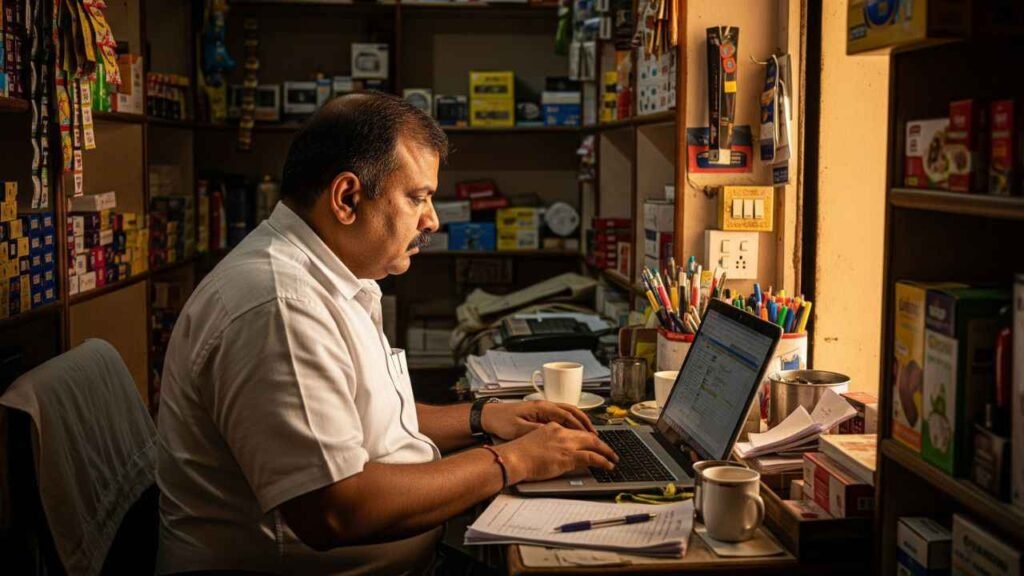

Fast support starts with a well-prepared case. This guide explains how Indian sellers can use Flipkart seller support, choose the correct route, document operational problems, protect sensitive information, and follow up without creating duplicate tickets.
The main recommendation is to treat every support request as a controlled business record with a clear owner, verified evidence, and one requested resolution.
Key Takeaways for Faster Seller Support
- Use Flipkart seller support through the authenticated Seller Hub whenever the problem concerns a seller account, catalogue, inventory, payment, fulfilment, return, or marketplace policy.
- Choose the closest issue category and open one well-documented case. A precise subject, affected order or listing IDs, dates, screenshots, and the requested resolution help the support team investigate.
- Check the available knowledge base and self-serve options before raising a ticket. Many operational queries can be resolved without waiting for an agent.
- Do not confuse buyer Customer Care with seller assistance. Customer-facing support in the mobile app and website follows a different path.
- Protect login details, OTPs, banking data, and devices. Use official channels and verify the official Flipkart Support handle before responding to social media accounts.
Consultant note: A support ticket should read like a short incident report. State the problem, prove the impact, show what you already checked, and ask for one clear action.
What Flipkart Seller Support Covers?
Flipkart seller support helps registered marketplace sellers with operational issues linked to their business on Flipkart.
Common subjects include onboarding, account access, brand or category approvals, listing quality checks, inventory updates, order processing, shipping, returns, settlements, tax documents, advertising, and technical integrations.
The exact menus and case categories can change, so the current Seller Hub should remain the primary reference.
Support works best when the seller first identifies the process that failed. An account restriction requires different evidence from a missing payment, a blocked listing, or an undelivered order.
Opening a generic case forces the agent to ask basic questions and may lead to reassignment. The seller should map the issue to one business process and one requested resolution before starting the case.
Sellers should also separate guidance from intervention. A help article can explain a standard process, while a support ticket is appropriate when the portal behaves differently, a case needs manual review, or a transaction-specific correction is required. This distinction reduces avoidable queries and keeps urgent cases easier to track.
How to Contact Flipkart Seller Support Through Seller Hub?
Sign in through the official Seller Hub website and open the help or support area available inside the authenticated portal. Search the existing guidance, choose the issue category, and use the case or ticket flow shown for that topic.
Seller Hub keeps the request connected to the business identity, affected records, and prior correspondence, which is safer than using an unverified number found through a general search.
The buyer-facing Help Centre is different. A shopper can use the Flipkart mobile app or website, select an order or issue, start with the Support Assistant, and may receive options for chat, call, or email.
Those steps belong to Customer Care. A marketplace seller should normally use the seller portal for seller-account problems unless an official instruction directs otherwise.
| Situation | Best starting point | Why |
| Seller account or marketplace operation | Seller Hub support or ticket flow | Connects the issue to seller records and business processes |
| Buyer order or shopping issue | App or website Help Centre | Routes the customer through Support Assistant and available contact options |
| API or integration problem | Seller or partner portal technical category | Keeps logs and technical evidence with the correct team |
| Suspicious message or impersonation | Official safety and reporting channel | Protects credentials and helps report possible fraud |
Before sending a case, confirm that the browser address belongs to the official domain and that the logged-in seller entity is correct. If several team members manage the account, assign one case owner.
Duplicate submissions from different users can fragment the evidence and create conflicting instructions.
8 Reasons Seller Support Tickets Take Longer Than Expected
1 The Issue Category Is Too Broad
A generic category may send the ticket to a team that cannot act on it. Choose the closest category and explain why it applies. If the issue spans two processes, start with the step where the failure first appeared and identify the downstream effect.
2 The Ticket Has No Record Identifiers
Support cannot reliably investigate a vague statement such as “orders are not working.” Add the relevant order ID, listing ID, SKU, shipment reference, payment reference, or case number. Use only the identifiers connected to the problem and verify each one before submission.
3 The Timeline Is Missing
A useful timeline states when the issue began, the last successful action, the failed action, and whether the problem continues. Dates and times help the team match portal events with system records and distinguish a temporary delay from a repeatable fault.
4 Screenshots Do Not Show the Full Context
A cropped error message without the page name, time, or record can be difficult to use. Capture the complete relevant screen while hiding unrelated personal data. Add a short caption explaining the action performed and the result shown.
5 Several Problems Are Combined in One Case
One ticket containing catalogue, payment, logistics, and advertising complaints is hard to assign. Open separate cases when the issues require different specialist teams. Link related case numbers only when the dependency is clear and relevant.
6 The Requested Resolution Is Unclear
State the decision or correction required. Ask for a listing review, payment explanation, shipment status correction, access restoration, or technical investigation. A precise request helps the agent close the gap instead of guessing what outcome the seller expects.
7 Follow Ups Add New Information Without Structure
Repeated messages such as “please update” add little value. A good follow-up states the case number, current status, new evidence, business impact, and the next action requested. Keep the information in the existing case unless support asks for a new one.
8 The Seller Used an Unofficial Contact Route
Numbers, pages, and social profiles found through open searches may be outdated or false. Unofficial contacts can waste time and create a fraud risk. Use authenticated portal routes and verify any official Flipkart Support handle before sharing information.
Choose the Correct Support Category

Start by naming the failed business process. For onboarding, identify whether the block concerns tax verification, bank details, pickup location, category approval, or identity review.
For catalogue cases, distinguish between a new listing, quality-check failure, attribute edit, brand approval, image rejection, or a live listing that stopped appearing. This level of classification directs Flipkart seller support to the right evidence and action.
For fulfilment, specify whether the problem occurred before packing, during label generation, at pickup, in transit, at delivery, or during return processing.
For payments, identify the settlement cycle, affected transaction, expected amount, actual amount, and report used for comparison. Do not describe every operational inconvenience as an urgent account problem.
If the correct category is uncertain, read the descriptions beside the available choices and check the self-serve options first.
Use the nearest category and state the reason in the opening sentence. Avoid selecting a high-priority topic only to seek faster routing; incorrect classification can delay the case.
Build an Evidence Pack Before Raising a Ticket
Prepare evidence before opening the form. Collect the seller ID, affected record IDs, date and time, error text, screenshots, relevant reports, and the steps already attempted.
For recurring errors, record whether they occur across users, browsers, devices, networks, or only one operating condition. This helps support distinguish a record-specific issue from a wider technical problem.
| Evidence item | Include | Avoid |
| Identifiers | Only affected orders, listings, shipments, payments, or cases | Large unrelated lists that hide the actual issue |
| Timeline | First failure, latest failure, and last successful action | Words such as recently without a date or time |
| Screenshots | Page context, message, and visible record reference | Passwords, OTPs, complete bank details, or unrelated customer data |
| Reports | Relevant rows with report name and period | Unexplained spreadsheets with thousands of records |
| Expected result | Specific correction, explanation, or review needed | A general request to solve everything |
Confirming the evidence before submission prevents avoidable back-and-forth. Check that every ID is correct, each attachment opens, and the written timeline matches the screenshots.
Redact unrelated sensitive information without hiding details that support needs to investigate. Keep the original files in a restricted internal folder until the case is resolved.
Write a Clear Seller Support Ticket

Use a subject line that identifies the record and failure, such as “Settlement difference for payment reference” or “Listing remains blocked after attribute correction.” The opening paragraph should state the current condition, the affected scope, and the first known date. The next paragraph should explain the checks already completed and point to the attached evidence.
End with one requested action and a reasonable business-impact statement. Explain the number of affected SKUs or orders, whether sales or dispatch has stopped, and any applicable deadline.
Do not use exaggerated claims, threats, or repeated capital letters. A professional ticket is easier to understand and forward to a specialist.
Ticket structure: Issue and scope. Record identifiers. Timeline. Steps already completed. Evidence attached. Business impact. Requested resolution.
Save the submitted description and case number in an internal tracker. The tracker should include owner, category, opened date, last response, current status, next action, and closure result. This record prevents duplicate tickets and gives managers a clear view of recurring support themes.
Resolve Account Onboarding and Catalogue Issues
For an account or onboarding case, first compare the portal data with the legal and banking documents submitted. Check names, addresses, tax identifiers, bank-holder information, pickup details, and any pending verification message.
State the exact step that cannot be completed and attach only the evidence requested by the official workflow.
For catalogue problems, identify the listing, category, attribute, image, brand, or quality-check status involved. Quote the visible rejection reason and explain the correction already made.
If many listings share the same error, provide a small representative sample plus the total affected count. Support can investigate faster when the pattern is clear.
Account access cases require extra caution. Use the official recovery process and review authorised users.
Never send passwords or one-time codes in a ticket or email. If the portal indicates a restriction, record the message, time, browser, and legitimate business action being attempted, then request a focused review.
Resolve Order Shipping Return and Cancellation Issues
An order case should follow the fulfilment timeline. Record acceptance, packing, label generation, pickup attempt, handover, tracking events, delivery result, cancellation, or return status as applicable. Add shipment references and proof of handover when relevant.
This sequence shows where responsibility changed and where the record stopped matching the physical movement.
For returns, document the delivered item, return reason, condition received, identifiers or serial numbers, packaging, and inspection evidence permitted by current policy.
Ask for the specific review available under the displayed seller-protection process. Avoid assuming that every customer return, transit loss, or damaged unit follows the same claim route.
If a buyer contacts the seller directly, keep the response within permitted marketplace communication and do not move the conversation to an unapproved chat, personal call, or private email. Use the platform record so the interaction remains traceable and aligned with current rules.
Resolve Payment Settlement and Invoice Queries
Start a payment case with reconciliation, not with the bank statement alone. Match the order, settlement reference, fees, taxes, returns, adjustments, and invoice entries shown in Seller Hub.
State the expected amount, actual amount, and calculation method. Attach the smallest report extract that proves the difference.
Separate a delayed settlement from an unexplained deduction. A delayed settlement case needs the eligible date, current status, and destination details.
A deduction case needs the fee or adjustment line, policy reference if available, and the seller calculation. Combining both can obscure the financial question.
Finance teams should maintain a weekly exception report with case numbers and values. When Flipkart seller support responds, record whether the difference was timing, a valid charge, a return adjustment, missing documentation, or an error.
Repeated exceptions should lead to a process correction rather than a growing collection of tickets.
Handle Technical Errors and Integration Problems
Technical queries require reproducible evidence. Record the page or API action, timestamp, user role, request identifier where available, expected result, actual result, and exact error message.
Test whether the issue appears in another supported browser or user account only when doing so is safe and does not change business data.
For marketplace integrations, preserve logs around the failure and identify the affected endpoint or workflow. State whether the error concerns authentication, listing updates, inventory sync, order retrieval, label generation, or shipment status.
The official developer material directs API-related cases through the seller or partner portal, so keep technical tickets in that authenticated route.
Do not paste secret keys, passwords, access tokens, full customer information, or production credentials into general correspondence. Share sensitive technical material only through a specifically authorised method.
If an integration vendor manages the connection, define which party owns diagnosis, evidence preparation, and communication with support.
Escalate and Follow Up Without Duplicating Cases
Allow the stated service window to pass before escalating unless the issue creates an immediate security, legal, or dispatch risk.
A follow-up should add material information: a new failed record, a missed deadline, a changed status, or a concise correction to prior evidence. Refer to the existing case number so the history stays intact.
Escalate the business impact, not emotion. State how many orders, listings, or settlements are affected, the value at risk where appropriate, the operational deadline, and the action required. If the response answers a different question, quote the unresolved point and restate it in one sentence.
Close the case only after checking the actual process. A portal message saying the issue is resolved is not enough if the listing, payout, pickup, or access still fails. Record the tested result and closure date.
If a new problem appears later, decide whether it is the same incident or a separate case before reopening or submitting another ticket.
Protect Sellers From Fraud and Fake Support Channels
Fake support pages and callers may imitate familiar branding, promise priority service, or ask for a payment to unlock an account. Treat unsolicited contact with caution. Flipkart safety guidance warns users about impersonation and requests for sensitive data.
Never share an OTP, login password, UPI PIN, card PIN, or remote device access with someone claiming to provide support.
Use the official website, authenticated portal, and verified in-app routes. On social media, confirm the official Flipkart Support handle before replying.
A matching logo or similar username does not prove authenticity. Do not post case attachments, phone numbers, tax documents, or payment records in public threads.
If suspected fraud occurs, stop communication, preserve the message or page address, secure the account, review users and recovery details, and report the incident through the official safety route.
Inform the bank or relevant authority when financial information or money may be at risk. Keep the fraud report separate from the operational seller ticket unless support specifically links them.
Use Customer Care and Seller Support for the Right Purpose
Customer Care supports shopping and buyer-order concerns, while seller support handles marketplace business operations. In the customer journey, the Flipkart Support Assistant can guide the user through self-serve options and may present chat, call, or email choices after the issue and order are selected. Availability can depend on the query and current interface.
A seller who is also a buyer should use the route connected to the affected role. Use the buyer Help Centre for a personal purchase and Seller Hub for the seller business.
Mixing the roles can expose the wrong records and delay routing. State clearly whether the question concerns a customer order, a seller order, or the marketplace account.
Public contact lists and search results often combine old numbers, third-party services, and unofficial pages.
The safer method is to begin inside the authenticated mobile app or official seller portal. If a communication claims to come from Flipkart, verify it independently before clicking a link or sharing information.
Create an Internal Seller Support Operating Process
A growing ecommerce team should define who may open cases, approve sensitive attachments, respond to support, and close tickets. Give each case one owner and one internal priority. Catalogue, fulfilment, finance, advertising, and technology teams should supply evidence through the owner instead of opening parallel cases.
| Case field | Purpose | Management use |
| Case number and category | Keeps correspondence tied to the official record | Prevents duplicate submissions |
| Owner and next action | Makes responsibility visible | Supports daily follow-up |
| Affected records and value | Shows measurable business impact | Helps set internal priority |
| Root cause and correction | Captures why the issue occurred | Reduces repeat cases |
| Closure evidence | Confirms the process works again | Supports audit and training |
Review the tracker monthly. Group cases by root cause and identify which ones could have been prevented through better listing controls, reconciliation, user training, integration monitoring, or Confirming data before submission.
The aim is not to raise more tickets; it is to reduce repeatable errors while improving the quality of unavoidable cases.
How Mohit Ecommerce Can Help With Flipkart Seller Support?
Mohit Ecommerce can help a seller organise support work before and after a case is opened. The first step can be an account audit covering onboarding, catalogue, inventory, orders, returns, payments, advertising, integrations, user access, and unresolved cases. The audit should separate portal defects from internal process errors and missing evidence.
Support assistance can include issue classification, evidence checklists, ticket drafting, case trackers, reconciliation templates, follow-up routines, and closure testing.
For recurring queries, Mohit Ecommerce can convert resolved cases into standard operating procedures so the team knows what to check before contacting Flipkart seller support again.
An external consultant should never request unnecessary credentials or control sensitive recovery details. The seller should retain administrator access, legal identity, bank information, and OTPs. Roles, approvals, case ownership, deliverables, and review dates should be documented before work begins.
The practical outcome is a cleaner support system: fewer duplicate tickets, stronger evidence, clearer escalation, and better internal learning.
The scope can be adjusted for a new seller, a high-volume catalogue, a multi-user operation, or a business facing repeated account, order, payment, or integration issues.
Conclusion Build a Faster Support Resolution System
Flipkart seller support can respond more effectively when the seller uses the right portal, selects the correct category, supplies verified evidence, and asks for one specific resolution.
A structured ticket reduces clarification cycles and gives the investigating team a usable record of the issue.
The long-term solution is an internal support process. Track cases, test fixes, record root causes, protect credentials, and update operating checklists after each resolution. This approach helps Indian sellers solve current problems faster and prevents avoidable issues from returning as the business grows.