

Becoming a Flipkart seller demands precise registration, with GSTIN and PAN cross-checks reducing verification rejections through 40%.
Success further depends on integrating automation tools like the Seller API and inventory software to prevent overselling, understanding category-specific fees that erode margins, and leveraging Seller University resources for listing optimization.
A Flipkart seller is a business or individual approved to list and sell products on Flipkart. To get started, create an account through the official Seller Hub, complete the business and tax checks for your category, add your bank and pickup details, and publish an approved product listing. Before accepting orders, calculate your costs and prepare a reliable dispatch process.
This guide explains Flipkart seller registration, GST requirements, fees, payments, listings, fulfilment and account management. Use it to plan your launch, then confirm the rules and rate card shown in your own seller account.
Key Takeaways
- Complete registration with accurate GSTIN, PAN, and business details to activate your Flipkart seller account smoothly.
- Use tools like the Seller Dashboard, Flipkart API, and inventory software to automate orders and prevent overselling.
- Understand commission, shipping, and fixed fees to accurately calculate margins and price products competitively.
- Leverage Flipkart Seller University and BBD Masterclass to optimize listings and prepare for high-traffic sales events.
- Manage returns, violations, and packaging compliance proactively to maintain strong seller performance scores.
Who can become a Flipkart seller?
Manufacturers, brands, retailers and other eligible businesses can explore selling on Flipkart. Your first checks should be whether the product is permitted, whether you can document its source, and whether your business meets the category requirements.
Keep purchase invoices and any required brand permissions or product approvals ready.
Choose a manageable starting range. A product with reliable supply, clear specifications and enough margin is easier to evaluate than a large catalogue of unfamiliar items.
Review competing offers for price, delivery expectations and recurring customer complaints before buying stock.
Flipkart Seller Registration: How to Start Selling Successfully?
Use this preparation list, then follow the exact fields and document requests in the current onboarding flow.
| Information | What to prepare |
| Contact details | An active mobile number and email address you control |
| Business identity | The correct legal name, business details and PAN information requested for your account |
| Tax details | A regular GSTIN where required, or the documents accepted for your eligible category |
| Bank details | The account number, account holder name, IFSC and any requested verification document |
| Pickup location | A complete serviceable address where stock can be stored and orders prepared |
| Product information | Category, brand, images, specifications, prices, stock and applicable approvals |
Start from the official Flipkart Seller Hub. Keep the contact details and business records you use during registration available for later verification.
Most sellers underestimate the strategic value of a properly executed registration process, treating it as a mere formality rather than the foundation for long-term marketplace success. Flipkart seller registration requires precise documentation, and errors at this stage often delay account activation for weeks.
GSTIN validation forms the backbone of tax compliance and directly impacts catalog visibility, since Flipkart’s algorithm deprioritizes listings from unverified accounts.
Similarly, PAN verification establishes identity authenticity and determines payout eligibility, making accuracy non-negotiable.
Data from onboarding patterns shows that sellers who cross-check GSTIN and PAN details against bank account information before submission experience 40% fewer verification rejections.
Strategic sellers treat registration as risk mitigation-aligning business structure, tax classification, and banking credentials upfront prevents downstream disruptions in payment cycles, order fulfillment approval, and account standing throughout Flipkart’s seller ecosystem.
Why do so many prospective sellers stall before their first listing goes live? Data suggests documentation gaps, not market conditions, cause most delays.
Sellers frequently underestimate verification requirements: a valid PAN card confirms tax identity, an accurate IFSC code links the correct bank branch for payment settlement, and a registered mobile number authenticates account access throughout onboarding.
Common questions center on timeline expectations, category eligibility, and fee structures. Approval typically depends on document accuracy rather than business size.
Sellers should verify PAN card details match business records exactly, double-check IFSC code entries against bank statements, and ascertain their registered mobile number remains active for OTP verification.
Precision at this stage prevents downstream disruptions—payment failures, compliance flags, or account suspension—that cost sellers far more time than careful initial setup requires.
For more detail, read our Flipkart seller registration guide.
Can you sell on Flipkart without GST?
Flipkart’s public FAQ says a regular GSTIN is required for most categories and identifies PAN as mandatory for the Only Books category. Do not assume that handicrafts, clothing or other categories automatically qualify for selling without GST.
Confirm the current onboarding route for your specific products before purchasing inventory. Check Flipkart’s registration and GST FAQs.
Platform eligibility and your tax obligations are separate checks. If you are considering a non-GST route or selling across states, ask your tax adviser to confirm the applicable treatment and verify that Flipkart supports your intended setup.
Essential Flipkart Seller Tools for Efficient Business Management
Once registration clears verification, the operational phase begins—and this is where sellers either scale efficiently or drown in manual processes.
The Flipkart seller dashboard serves as command central, offering visibility into orders, returns, payments, and performance metrics in real time. However, relying solely on native dashboard tools limits scalability once order volumes climb beyond a few dozen daily.
Sellers managing multi-channel operations or high SKU counts should integrate dedicated inventory management software early, avoiding stockouts and overselling across platforms.
Critical tools for sustainable growth include:
- Unicommerce or similar ERP integrations for centralized order and inventory syncing
- Automated pricing tools to stay competitive without manual repricing
- Analytics dashboards tracking conversion rates, return ratios, and customer feedback trends
Data-driven tool adoption separates sellers who scale from those who stagnate.
Flipkart Seller API: Simplify Orders, Inventory, and Automation
Beyond dashboard tools lies a more powerful lever: the Flipkart Seller API, which connects a seller’s own systems-ERP, warehouse management, or custom-built software-directly to Flipkart’s marketplace infrastructure.
Start with a workflow you can keep accurate. Consider additional software when repeated manual updates, multiple warehouses or several marketplaces make stock and order management difficult.
Flipkart’s seller APIs support processes such as order retrieval, shipping labels and invoices. Use the proper developer or authorised partner access process. An integration needs monitoring for failed updates and mismatched SKUs; installing software alone does not guarantee accurate stock. Source: Flipkart Marketplace Seller APIs.
Instead of manual uploads and status checks, sellers automate order retrieval, invoicing, and stock updates through direct system calls. High-volume sellers benefit most, as the API eliminates repetitive tasks and reduces human error across catalog and fulfillment workflows.
Pairing the API with an inventory management tool guarantees stock counts sync in real time across warehouses, preventing overselling.
An order management system built on this API consolidates orders from multiple channels into a single processing queue, speeding fulfillment.
For sellers seeking plug-and-play automation, Unicommerce marketplace integration offers pre-built connectors, reducing development overhead while delivering enterprise-grade order and inventory synchronization.
Understanding Flipkart Seller Commission and Marketplace Fees
Automation and integration only pay off when the underlying economics of each sale are understood, which brings the focus to what Flipkart actually deducts before a seller sees any profit.
Every transaction carries a combination of charges that directly affect margin, and these vary according to category, weight, and fulfilment method. The Flipkart Seller Hub provides visibility into these deductions, allowing sellers to reconcile payouts against actual sales data.
Key components typically include:
- Commission fee: A percentage based on product category and price bracket
- Shipping fee: Determined by weight, dimensions, and whether Flipkart Fulfilment Services are used
- Fixed fee and collection charges: Applied per order, regardless of order value
Accurate product listing pricing must account for these deductions upfront. Sellers who model fees before listing avoid margin erosion and price products competitively while preserving profitability.
Flipkart’s public fee page currently lists 0% commission on products priced below ₹1,000 across categories, and 0% commission across Fashion at all price points. Other products require checking the applicable category rate. Confirm how the live rate card treats your exact price, especially ₹1,000, which is not below the stated threshold. Source: Flipkart fees and commission.
Zero commission does not make an order cost-free. Build your pricing sheet around every relevant cost, using the figures actually applicable to your account.
| Cost to check | What to include in your calculation |
| Marketplace charges | Applicable commission, fixed fees and other rate-card deductions |
| Logistics and fulfilment | Delivery, storage, handling or other services used for the order |
| Product and packaging | Purchase or production cost, labels, protective materials and outer packaging |
| Promotions | Advertising spend and the seller-funded part of any discount |
| Returns and losses | An allowance based on your own returns, damage and unsellable stock |
| Tax and reconciliation | Applicable tax treatment, fee invoices and settlement adjustments |
Recalculate when the price, package dimensions, fulfilment model or rate card changes. Avoid copying another seller’s charges without checking whether their category and account terms match yours.
A simple margin example
The following figures are illustrative planning assumptions, not Flipkart’s rates or an earnings forecast. Revenue excludes output GST, and costs exclude recoverable input GST. Include non-recoverable tax in your own costs and replace every input with your data.
| Item | Amount per order |
| Sales revenue excluding GST | ₹800 |
| Product cost | ₹420 |
| Assumed marketplace and logistics costs combined | ₹160 |
| Packaging | ₹20 |
| Advertising allocation | ₹60 |
| Expected return and damage allowance | ₹40 |
| Contribution before overheads and income tax | ₹100 |
In this example, ₹800 minus ₹700 in order-level costs leaves ₹100, or a 12.5% contribution margin. Rent, salaries, financing and other overheads still have to be covered. Increasing advertising by ₹50 per order would halve that contribution if everything else stayed the same.
Use a base case and a less favourable case before ordering stock. In the second case, increase your expected returns or acquisition cost and check whether the product still makes commercial sense.
When do Flipkart sellers receive payments?
Flipkart’s fee page describes payment schedules as dependent on seller tier. Use the settlement schedule and transaction information in your own account to plan cash flow; an advertised fastest payment time is not a deadline that applies to every order. Source: Flipkart payment cycle guidance.
Match each settlement to the relevant orders, refunds, charges and adjustments. A bank deposit is a cash receipt, not a profit calculation. Keep enough working capital to buy replacement stock and cover expenses before the next expected settlement.
If a payment looks wrong, identify the order or transaction, the expected amount, the actual amount and the deduction you need explained. This gives support a specific issue to investigate.
Flipkart Seller Training for Beginners and Growing Businesses
Understanding fee structures answers what a sale costs; training addresses what a seller must know to generate sales consistently.
Flipkart Seller University serves as the platform’s core educational resource, offering structured modules on listing optimization, inventory management, and advertising strategy.
Beginners typically start with catalog quality courses, learning how titles, images, and descriptions affect discoverability and conversion rates.
Growing businesses benefit from specialized sessions like the BBD Masterclass, which prepares sellers for Big Billion Days covering pricing strategy, stock forecasting, and promotional planning ahead of peak traffic events.
These sessions translate seasonal demand spikes into actionable seller checklists.
Practical application occurs within the seller dashboard, where sellers monitor performance metrics, track order defects, and measure the direct impact of training-driven changes—linking education to measurable business outcomes rather than theoretical knowledge alone.
How to Use Flipkart Seller Hub Effectively?
Steering the Seller Hub demands more than familiarity with its menus; it requires a workflow discipline that turns raw data into daily action.
The flipkart seller hub consolidates orders, returns, and payments into a single dashboard, but its real value emerges when sellers build repeatable routines around it.
Effective use hinges on three practices:
- Review seller insights weekly to track conversion rates, customer ratings, and traffic sources before adjusting listings.
- Leverage the inventory management tool to prevent stockouts and automate reorder alerts across SKUs.
- Audit pricing and returns data monthly to identify products draining margin or generating complaints.
Sellers who treat the Hub as a strategic command center-not just a transaction log—consistently outperform competitors relying on guesswork, converting platform data into measurable, sustained growth.
Build a routine that connects orders, available stock and cash flow. The following is a suggested operating schedule, not a Flipkart policy requirement.
| Frequency | Suggested checks |
| Each working day | New orders, dispatch deadlines, available stock, return actions and account notifications |
| Each week | Listing errors, cancellation reasons, ad spend, product contribution and recurring customer issues |
| Each settlement cycle | Order-level deductions, refunds, invoices and bank receipts |
| Before a promotion | Stock cover, maximum affordable discount, packaging supplies and dispatch capacity |
Keep a simple SKU-level record of units sold, costs, cancellations and returns. Use consistent definitions and date ranges when comparing results. A high-selling item deserves attention if its contribution falls or complaints rise.
See our Flipkart Seller Hub guide for related account-management topics.
Flipkart Seller Listing Optimization for Better Visibility
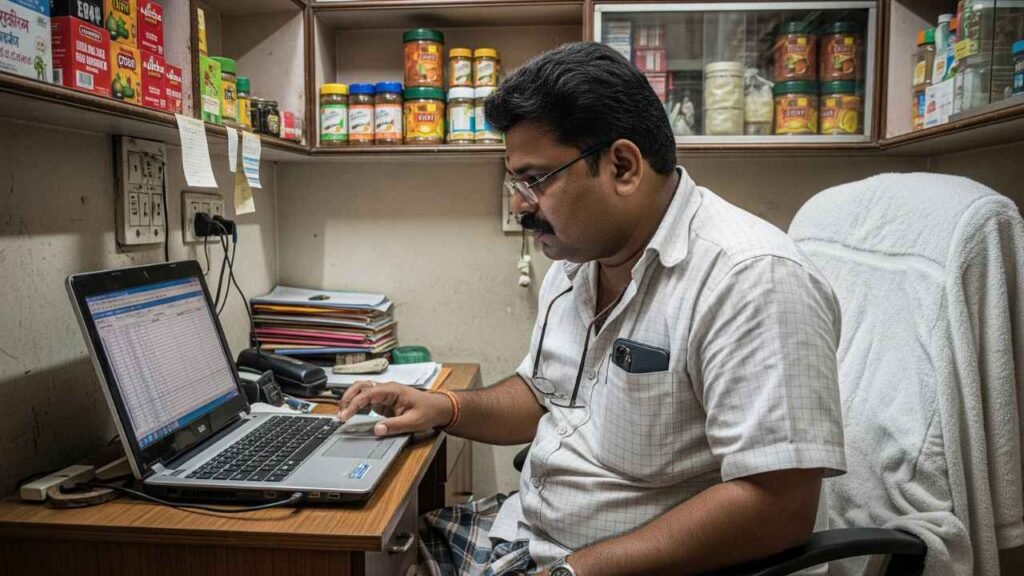
Visibility on Flipkart hinges on how well a listing aligns with the platform’s search algorithm, which weighs keyword relevance, image quality, and content completeness before ranking products.
Effective listing optimization requires sellers to structure titles with primary keywords upfront, use high-resolution images with multiple angles, and write bullet points covering specifications, usage, and benefits.
Product visibility improves further when sellers maintain consistent stock levels and competitive pricing, since ranking algorithms penalize frequent stockouts.
Flipkart Seller Central provides analytics that reveal which listing elements underperform, allowing targeted adjustments.
A good listing helps a buyer recognise the product, understand its fit for their needs and choose the correct variant. Start with accurate product data, then improve the writing and images.
Use the relevant catalogue fields and current category template. Avoid unsupported claims, irrelevant search terms and descriptions copied from another brand.
A. Write a specific product title
A practical title pattern is: Brand + product type + distinguishing specification + size or quantity + relevant variant. Adjust the order and length to the category requirements.
For example, a fictional product might be described as Aster Stainless Steel Water Bottle 1 Litre Blue. Use claims such as leakproof, insulated or food-grade only when they accurately describe the product and can be supported.
B. Answer the questions buyers ask before ordering
Explain dimensions, material, compatibility, package contents, care instructions and warranty terms where relevant. If a buyer could reasonably misunderstand a feature, address it directly.
For example, a storage container listing should make it clear whether the capacity refers to one container or the complete set. A phone accessory should identify the compatible model rather than saying it fits all phones.
C. Make images match the actual offer
Show the correct colour, model, quantity and included accessories. Use clear views and a readable dimensions image when scale matters. Follow the category image rules and use images you own or have permission to publish.
Review recurring customer questions and return reasons when updating a listing. A useful correction may be a better size guide or a clearer package-contents image. For a deeper checklist, see our Flipkart seller listing guide.
| Optimization Element | Impact on Ranking |
|---|---|
| Keyword-rich title | High |
| Image quality | Medium-High |
| Detailed specifications | Medium |
| Customer ratings | High |
What to Do If Your Flipkart Seller Account Is Suspended?
Account suspension notifications arrive through Seller Central and registered email, typically citing specific policy violations such as counterfeit claims, quality complaints exceeding threshold limits, or non-compliance with tax documentation requirements.
Sellers should act within the specified resolution window, as delayed responses reduce reinstatement likelihood.
Immediate steps include:
- Review the violation notice carefully via Flipkart seller login to identify the exact policy breach cited
- Gather supporting documentation, including invoices, quality certifications, and dispatch records that counter the allegation
- Escalate through customer support using the appeals module, attaching evidence and requesting a formal case review
Sellers with pending payments should verify eligibility under the seller protection fund, which may cover losses during investigation.
Maintaining organized compliance records reduces suspension risk and accelerates resolution timelines considerably.
Flipkart Seller Packaging Guidelines for Safe Deliveries
Follow the current category and shipment instructions in Seller Hub. Build a short packing checklist around the actual item:
• Match the SKU, variant, quantity and accessories to the order.
• Inspect the product before packing and protect vulnerable parts.
• Use packaging that prevents movement and suits the product’s weight and fragility.
• Measure and weigh the finished package accurately.
• Check the shipping label and required documents before handover.
• Retain the dispatch evidence needed for your workflow and any applicable claim process.
If damage returns rise, compare packaging methods and return reasons for the affected SKU. Change one factor at a time so you can see whether the correction helped. Our Flipkart seller packaging guide provides a starting point for planning your process.
Most damage-related returns on Flipkart trace back to inadequate packaging rather than product defects, making this compliance area directly tied to seller ratings and profitability.
Flipkart mandates category-specific packaging standards: fragile items require bubble wrap with rigid outer boxes, apparel needs poly bags, and electronics demand tamper-proof seals with adequate cushioning.
Sellers choosing Flipkart FBF benefit from standardized warehouse packing protocols, reducing damage liability since Flipkart controls the process end-to-end.
Self-ship sellers bear full responsibility, requiring strict adherence to weight-based box selection and void-fill guidelines to prevent transit damage.
Evaluating fulfillment options against product fragility helps sellers minimize return rates. Non-compliant packaging triggers penalties, customer complaints, and lowered seller scores-directly impacting search visibility and buy-box eligibility on the platform.
Choosing fulfilment and preparing orders
Flipkart describes two main fulfilment options: Fulfilment by Flipkart, or FBF, and Non Fulfilment by Flipkart, or NFBF. Under NFBF, sellers prepare packed orders for pickup through Flipkart’s logistics process. Source: Flipkart storage and shipping guidance.
| Responsibility | FBF | NFBF |
| Stock storage | Flipkart warehouse | Seller premises or an available community warehouse |
| Order packing | Flipkart | Seller |
| Delivery process | Flipkart fulfilment network | Pickup from the seller and delivery through Flipkart’s network |
Compare the total costs and operational requirements available to your account before choosing. Consider how often you replenish stock, how fragile the item is, and whether you can reliably prepare orders at your location.
Packaging checks before dispatch
Follow the current category and shipment instructions in Seller Hub. Build a short packing checklist around the actual item:
• Match the SKU, variant, quantity and accessories to the order.
• Inspect the product before packing and protect vulnerable parts.
• Use packaging that prevents movement and suits the product’s weight and fragility.
• Measure and weigh the finished package accurately.
• Check the shipping label and required documents before handover.
• Retain the dispatch evidence needed for your workflow and any applicable claim process.
If damage returns rise, compare packaging methods and return reasons for the affected SKU. Change one factor at a time so you can see whether the correction helped. Our Flipkart seller packaging guide provides a starting point for planning your process.
Understanding the Flipkart Seller Return Policy
Return policies function as the financial backbone of marketplace operations, dictating how quickly capital gets tied up or freed after a sale concludes.
Sellers must track return windows, restocking eligibility, and refund timelines through the Flipkart Seller Portal, where dashboards flag pending disputes and reverse pickups in real time.
Compliance with Flipkart ke Safe Returns standards reduces fraudulent claims and protects margins, while products under Flipkart Assured carry stricter quality checks that lower return rates considerably.
Safe Returns compliance curbs fraudulent claims, while Flipkart Assured’s stricter quality checks keep return rates meaningfully lower.
Key strategic priorities include:
- Monitoring return-reason analytics to identify recurring product or packaging defects
- Automating refund approvals for low-risk categories to speed cash recovery
- Flagging serial returners to prevent margin erosion
Sellers who treat returns as a data stream, not just a cost center, gain measurable operational advantage.
Check the return terms and action deadlines applicable to the product and order. Record the reason for each return, inspect the item received and separate reusable stock from damaged or incomplete stock.
Look for patterns you can correct. Repeated size complaints may call for better measurements. Missing-accessory complaints may point to a packing problem. Damage complaints may justify a packaging test.
Flipkart’s FAQ describes Seller Protection Fund support for eligible cases involving damaged or missing returned products. Check the current evidence requirements, deadlines and eligibility in your account. Do not assume every disputed return or withheld payment will be reimbursed. Source: Flipkart seller FAQs.
How to Contact Flipkart Seller Support for Quick Assistance?
Use the support options in your official seller account or the Flipkart help and support page. Include the relevant order or listing ID, screenshots, dates and a clear description of the resolution you need. Keep the case reference for follow-up.
If your account or listing is restricted, respond to the specific notice. Explain the problem, provide the requested evidence and describe the correction where applicable. Reinstatement depends on Flipkart’s review and cannot be guaranteed by an outside service provider.
Speed of resolution often separates a thriving seller account from one bleeding margin through unresolved disputes. Sellers should treat support access as an extension of flipkart account management rather than a last resort.
The flipkart seller hub provides direct ticketing tools under its help section, allowing sellers to log issues related to payments, returns, or listings with reference IDs for tracking.
For urgent matters, sellers can escalate through the “Contact Us” option within the seller hub dashboard, choosing categories that match the exact issue for faster routing.
New sellers still completing flipkart onboarding should bookmark the support center early, since verified accounts get quicker response times.
Consistent documentation of complaints, screenshots, and order details accelerates resolution and strengthens future escalations, ensuring minimal disruption to sales momentum and seller ratings.
Learning Resources Available at Flipkart Seller University

While seller support resolves immediate operational friction, sustained account growth depends on structured learning, which is precisely what Flipkart Seller University delivers.
This platform, accessible directly through the seller hub, offers structured modules covering catalog optimization, pricing strategy, and compliance requirements, translating raw data into actionable growth decisions.
Sellers gain practical instruction on maximizing flipkart seller benefits through targeted courses, including:
Targeted courses help sellers translate platform tools into measurable growth, turning everyday operations into strategic advantage.
- Effective use of the inventory management tool to reduce stockouts and cancellations
- Advertising and promotional strategies to improve product visibility
- Return and quality management practices that strengthen seller ratings
Rather than generic advice, the university emphasizes measurable outcomes, equipping sellers with frameworks to benchmark performance, refine strategy, and scale operations with greater precision and confidence.
5 Reasons to Become a Flipkart Seller
Flipkart’s seller ecosystem offers measurable advantages for businesses seeking growth in India’s e-commerce sector. From expansive customer reach to operational flexibility, the platform addresses key barriers that typically hinder online business scaling.
The following five reasons outline the strategic value proposition for prospective sellers.
1. Reach a Large Online Customer Base
Millions of active shoppers browse Flipkart daily, making it one of India’s most trafficked e-commerce destinations.
This scale offers sellers direct access to a customer base spanning metro cities to tier-3 towns, eliminating the need for independent digital marketing infrastructure.
The Flipkart marketplace organizes traffic across diverse product categories, allowing sellers to position their offerings where relevant demand already exists.
Strategic advantages of this reach include:
- Cross-category discovery: Customers exploring one product category often browse adjacent categories, increasing exposure.
- Built-in search and recommendation algorithms: These surface products to customers actively searching for similar items.
- Seasonal traffic spikes: Sale events funnel concentrated customer volume toward seller listings.
Sellers who align inventory and pricing with these patterns capture demand more efficiently than standalone platforms typically allow.
2. Start With Flexible Business Options
Launching a business on Flipkart requires no upfront commitment to a fixed operating model. Sellers can begin small through Shopsy, a zero-commission platform ideal for reseller-driven, capital-light entry, then shift into full-scale marketplace activation as demand grows.
This tiered structure allows entrepreneurs to test products, validate pricing, and build customer trust before scaling infrastructure or inventory.
For sellers seeking accelerated growth, Flipkart Advantage offers logistics, warehousing, and fulfillment support, enabling faster delivery and improved buy-box visibility without heavy in-house investment.
This flexibility supports diverse business types—from home-based sellers to established brands—each choosing a model aligned with their capital, capacity, and growth stage.
Ultimately, this adaptability reduces entry risk while allowing sellers to scale strategically, aligning operational complexity with actual business readiness and market response.
3. Showcase Products Across Multiple Categories
Diversification across product categories directly reduces revenue concentration risk while multiplying exposure to distinct buyer segments.
Flipkart supports sellers across electronics, fashion, home goods, beauty, and grocery segments, allowing a single brand to test demand signals across marketplaces without building separate infrastructure.
Category expansion also insulates sellers from seasonal demand fluctuations, since underperformance in one vertical can be offset with growth in another.
Strategic sellers evaluate category expansion using data on:
- Search volume and category-level conversion rates
- Competitive density and average price points
- Cross-category customer overlap and repeat-purchase behavior
This approach transforms a single storefront into a diversified portfolio, strengthening brand visibility while distributing risk across product lines instead of depending on one category’s performance trajectory.
4. Access Marketplace Selling Features
Beyond category breadth, the operational tooling a seller can access on Flipkart determines whether that breadth translates into sustainable revenue.
The marketplace equips sellers with analytics dashboards that surface conversion rates, traffic sources, and pricing benchmarks against competitors, enabling data-backed decisions rather than guesswork.
Flipkart Ads extends this advantage allowing sellers to bid for premium placement across search results and category pages, directly influencing discoverability during high-intent browsing moments.
Meanwhile, Smart Fulfilment addresses the logistics bottleneck that often limits scaling—automating warehousing, packaging, and last-mile delivery through Flipkart’s infrastructure.
Together, these three capabilities shift sellers from passive listing management to active growth strategy, where visibility, promotion, and delivery reliability compound into measurable improvements in sales velocity and customer retention over time.
5. Build a Scalable E-Commerce Business
Scaling an e-commerce operation typically demands capital-intensive investments in warehousing, technology, and customer acquisition-costs that Flipkart’s marketplace model absorbs on the seller’s behalf.
This structural advantage allows sellers to redirect capital toward product development, pricing strategy, and category expansion rather than infrastructure overhead.
Sustainable growth, however, still requires operational discipline. As order volumes rise, manual tracking becomes a liability, making an inventory management tool essential for maintaining stock accuracy across warehouses.
Sellers scaling beyond single-channel operations often integrate:
- Ginesys OMS for centralized order and inventory synchronization
- Browntape for multichannel listing and marketplace reconciliation
- Automated reporting dashboards for demand forecasting
These integrations reduce fulfillment errors, prevent stockouts, and support consistent service levels-positioning sellers to expand catalog depth and transaction volume without proportional increases in operational risk.
A practical plan for your first 30 days
Use this as a suggested launch sequence. Adjust it to your verification status, category and supply lead times.
| Period | Main task | Useful output |
| Days 1 to 7 | Confirm eligibility, costs and supply | Registration records and a pricing sheet |
| Days 8 to 14 | Build a small, accurate catalogue | Checked images, specifications and stock records |
| Days 15 to 21 | Process orders and review problems | A working dispatch and reconciliation routine |
| Days 22 to 30 | Evaluate products and test improvements | A decision to replenish, revise, promote or pause each SKU |
Your first month’s goal is to understand the business well enough to make the next stock decision. Expand when your data supports it and your operations can handle the extra work.
Improve inaccurate listings and fulfilment problems before expanding promotions. More traffic can increase the cost of a product that already loses money.
For an initial advertising test, choose a small group of well-stocked products, set a spend limit and decide what result would justify continuing. Review advertising cost alongside order contribution and subsequent returns. Return on ad spend alone does not tell you whether the business made a profit.
Before a sale event, calculate the lowest price you can support and the number of orders your team can dispatch. Keep a record of the offer, campaign dates and results so you can compare the next promotion on the same basis.
Explore the tools and services currently offered through Flipkart’s seller growth resources, and check Seller Hub for training relevant to your next task. Complete a listing or fulfilment lesson, apply it to a small batch, and review the result before changing the whole catalogue.
Common Challenges Faced by a Flipkart Seller
The uncertainty inherent in e-commerce operations often tests even well-prepared Flipkart sellers, as day-to-day execution rarely mirrors onboarding expectations.
Stock mismatches and delayed updates frequently cause order cancellations, undermining seller ratings; deploying a reliable inventory management tool minimizes such discrepancies through syncing warehouse data with live listings.
Visibility remains another persistent hurdle, as thousands of competing SKUs crowd every category. Sellers who neglect sponsored ads often see stagnant impressions despite competitive pricing, since algorithmic ranking favors active promotional engagement.
Similarly, inconsistent advertising & promotions strategy-running campaigns sporadically rather than data-backed cycles—limits return on ad spend.
Return fraud, payment reconciliation delays, and fluctuating commission structures further strain margins.
Sellers who track performance metrics weekly and adjust logistics partnerships accordingly tend to mitigate these recurring operational risks more effectively than reactive competitors.
How Mohit Ecommerce Can Help With Flipkart Seller Success?
Steering Flipkart’s seller ecosystem demands more than product listings and periodic price checks-it requires structured account oversight, which is where Mohit Ecommerce positions its value.
The firm blends operational discipline with strategic insight, helping sellers convert data into decisions.
Key support areas include:
- Inventory management tool integration: syncing stock levels across warehouses to prevent cancellations and maintain healthy seller ratings
- Flipkart marketing execution: optimizing ad spend, keyword targeting, and promotional calendars to lift visibility during high-traffic sale windows
- Flipkart Seller Summit insights: translating policy updates and platform announcements into actionable account adjustments before competitors react
Rather than generic consulting, Mohit Ecommerce builds seller-specific frameworks-tracking performance metrics, flagging compliance risks, and refining catalog strategy so growth remains sustainable rather than reactive.
Mohit Ecommerce helps businesses set up their marketplace presence and improve product catalogues and listings. If you need support with your Flipkart launch or an existing catalogue, share your product category, number of SKUs and the main problem you want to solve.
Contact Mohit Ecommerce to discuss your Flipkart selling requirements. We can discuss a suitable scope of support for your business. Account approvals and marketplace decisions remain with Flipkart.
Conclusion
Becoming a successful Flipkart seller requires more than enthusiasm-it demands strategic registration, the right tools, API integration, commission clarity, and continuous training. Sellers who treat these elements as interconnected, rather than isolated tasks, position themselves ahead of the competition. With expert guidance from partners like Mohit Ecommerce, businesses can approach Flipkart selling with data-backed confidence and long-term growth in mind.